I recently attended the Forward Deployed Engineering (FDE) Academy at Deloitte. It was a great experience, and I came away impressed with how fast teams can now build and ship software.
I have spent time building out tech infrastructure for creative teams, and this often entails building some sort of Digital Asset Management (DAM) system with the goal of making it easy for teams to find and store their assets. This process usually involves a cloud data migration, for example into AWS, and integrating with a frontend application such as Frame.io.
At the academy, we were challenged to build a custom DAM system from scratch in two days. Video search is often opaque so I am breaking down our approach here.
The Goal
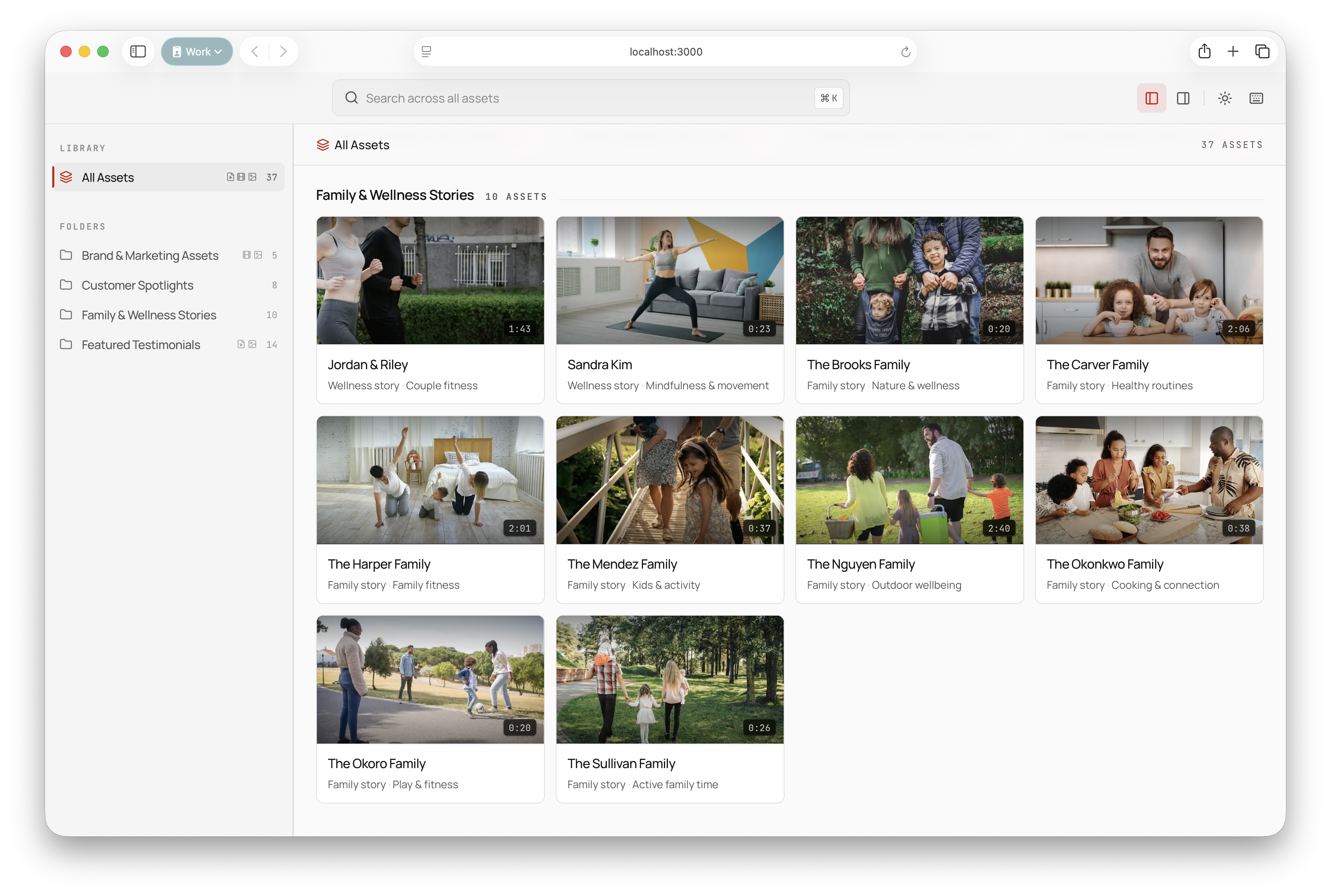
Turn a loose asset library into a searchable interface. Instead of browsing folder names and file IDs, users could ask for the content they remembered: a family cooking scene, a product demo moment, an outdoor wellness clip, a specific quote, or a thematic mood.
We built a 100-query evaluation set by working backwards from the provided 37-asset library. The target was simple: the system had to surface the correct content for each query 95% of the time, using a weighted score for the number-one result and whether the right asset appeared within the top five. The eval harness was Promptfoo. A Python script generated tests.yaml from synthetic queries, expected asset IDs, and query categories.
In the library 70
family cooking · kitchen scene
couple fitness · morning routine
mindfulness movement clip
outdoor family wellness story
behind-the-scenes brand shoot
Training queries 15
product demo walkthrough
launch trailer opening shot
testimonial about routine
wellness story with children
Unrelated 5
weather forecast tomorrow
best pizza in Boston
SQL join syntax
Coverage gaps 10
factory tour footage
conference keynote recording
winter travel montage
Two Pipelines
Video search is actually just text search. So you have to optimize two systems:
- Ingest pipeline: extract a bunch of useful text from the content
- Semantic search: make a really good text search system
Ingest Pipeline
The ingest pipeline looked like a compact RAG system: process, enrich, embed, and index.
Videos were chunked through captions and frame analysis. Images were captioned directly, and audio was transcribed.
We used:
ffmpegto extract images from videosWhisperXto transcribe audioffprobeto extract metadata
The enrichment step used Claude Haiku 4.5 with vision to turn frames, transcripts, and image assets into structured metadata: themes, services, speakers, sentiment, quotes, and keywords.
Each asset became structured metadata plus embedding-ready text, all joined into one shared index.
The pipeline used sentence-transformers with BAAI/bge-base-en-v1.5 to embed chunks into 768-dimensional vectors.
Semantic Search
We started with search over titles and metadata. That was not enough. Adding transcriptions and semantic search moved the system into useful territory, but the winning configuration came from letting an LLM review the vector-search candidates and rerank them with reasoning.
The final search stack had three layers. MiniSearch handled BM25 keyword search for exact terms, product names, and proper nouns. Dense retrieval handled paraphrase and meaning with BGE embeddings. Reciprocal Rank Fusion combined those two result sets into a candidate pool. Then we used Claude Haiku 4.5 as an LLM reranker: it reviewed the top 20 candidates, produced a short explanation, and returned a calibrated confidence score.
That final configuration reached a 96% weighted retrieval score on the 100-query eval.
We were limited to Claude models in our enterprise environment, but the architecture was model-flexible. A production version could test hosted multimodal embeddings and a dedicated reranker, such as Voyage, against the local BGE plus Claude rerank stack.
V1 · title only10.7%
V2 · + metadata16.1%
V3 · + BM25 text74.1%
V4 · + semantic + RRF75.8%
V5b · + Haiku rerank96.0%
V5b · selected configuration
Interface
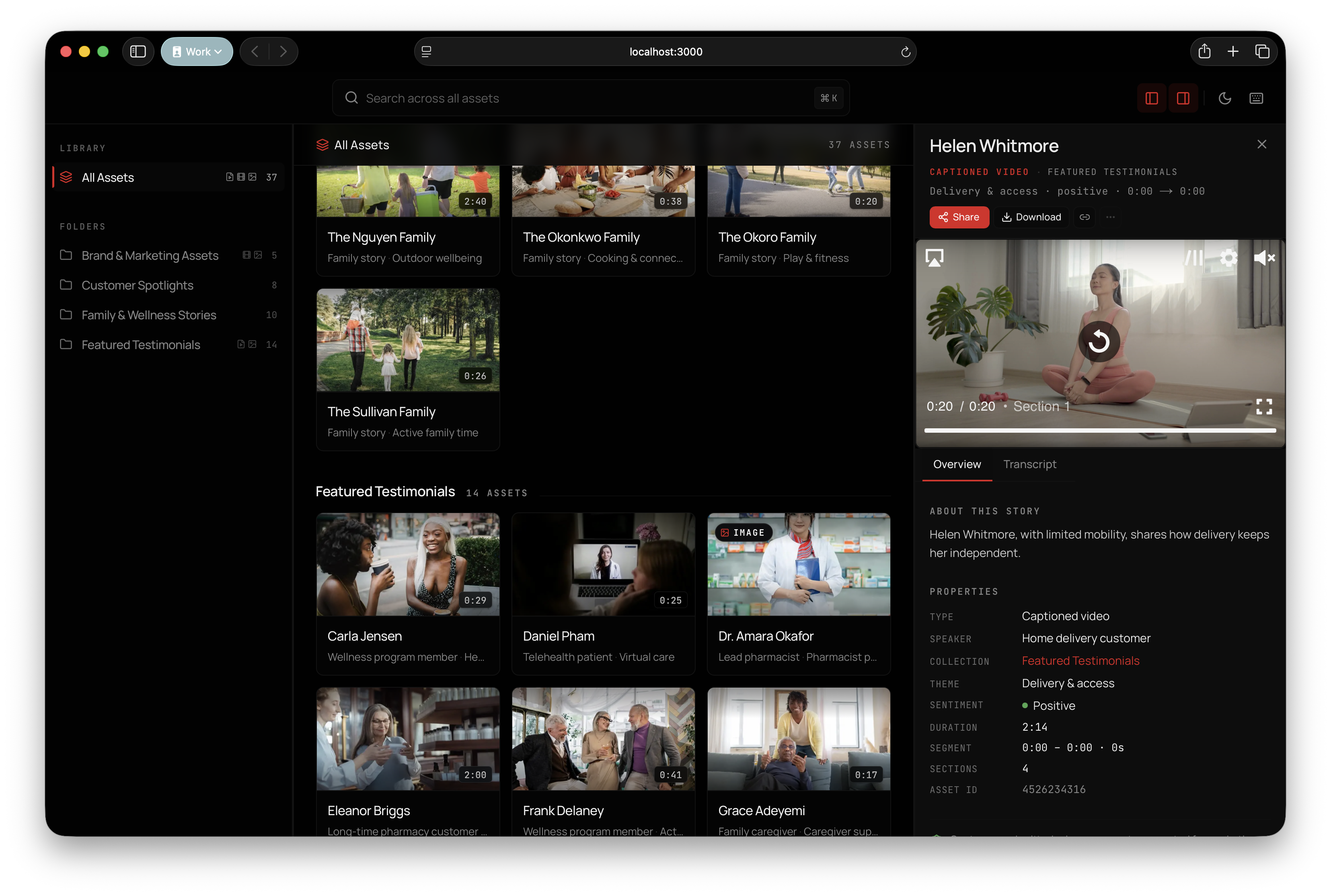
We took a lot of inspiration from Frame.io with its panel design. The app was a local Next.js 15 prototype with React 19, TypeScript, Tailwind, Radix/shadcn components, Vidstack for playback, and Motion for panel transitions.
The thumbnails were generated during the ingest pipeline with ffmpeg.
This was all built locally using symlinks to files on a local filesystem. The hard part of a DAM is building it to be globally accessible. You need two things to make that happen: proxies and a CDN.
Videos use a lot of bandwidth because they are large files. So you have to make compressed copies of them and serve those from a Content Delivery Network (CDN), basically a set of servers around the world that can serve those proxies quickly using many types of caching.
This sits on top of a database index for search and your cloud storage for the actual files.
Outcome
The result was a concrete path from manual asset hunting to semantic retrieval. The prototype showed that teams may not need to start with a heavyweight DAM migration to make their content usable. A focused semantic layer could deliver a large share of the practical value quickly.